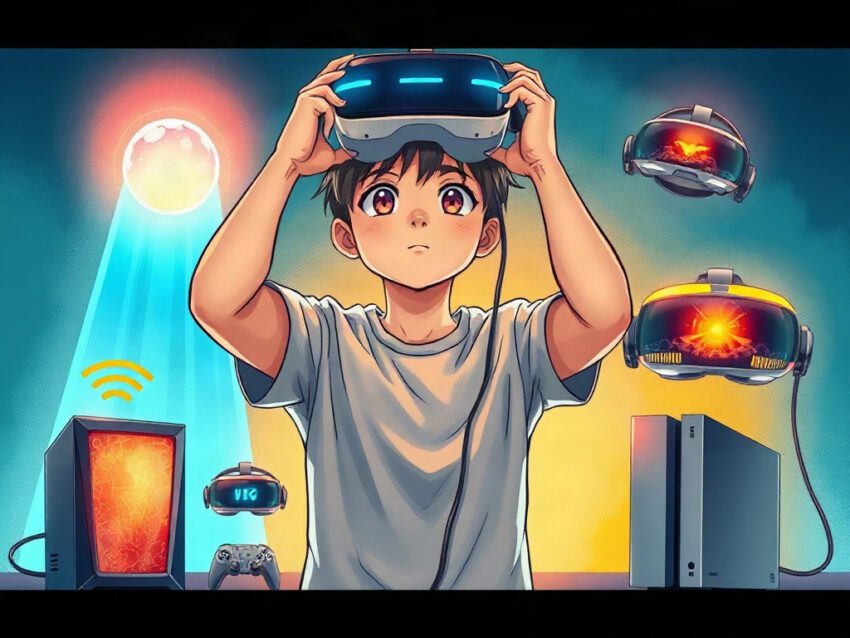
Best VR Headsets Compatible With PC And Console
Friends, virtual reality has stopped being a strange experiment hidden behind a glass display in an electronics store. Today, a headset can become a game console, a PC monitor, a cinema screen, a fitness coach, and—on particularly quiet evenings—a doorway into somewhere that does not exist.
You put it on.
The room disappears.
For a moment, the cable on the floor, the unopened email, and the cup of coffee cooling beside your chair all lose their authority. A spaceship rotates above you. Snow falls across a digital mountain pass. Somewhere behind your real walls, the washing machine begins its spin cycle, but inside the headset, you are standing on another planet.
That is the magic. It is also the trap.
Choosing the best VR headset is no longer simply a matter of asking, “Which one has the highest resolution?” You need to think about compatibility, comfort, game libraries, tracking, controllers, display technology, setup, price, and the hardware you already own. A beautiful headset that refuses to cooperate with your PC or console quickly becomes an expensive paperweight.
The best all-around choice for most people is the Meta Quest 3, while the Meta Quest 3S offers the strongest value. If you own a PlayStation 5, the PlayStation VR2 remains the most compelling console-focused option. PC enthusiasts who want high-end simulation and room-scale tracking may still consider the Valve Index, although its age and price make the decision less straightforward.[1][2][3]
The short answer
Here is the quick map, Friends:
- Best overall: Meta Quest 3
- Best affordable option: Meta Quest 3S
- Best for PlayStation 5: PlayStation VR2
- Best for premium PC room-scale gaming: Valve Index
- Best for PC and console flexibility: Meta Quest 3
- Best for visual immersion on PS5: PlayStation VR2
- Best for newcomers: Meta Quest 3S
- Best for simulation enthusiasts: Valve Index or a high-end PC VR system
The important distinction is simple: some headsets work independently, while others depend on a computer or console. Standalone headsets contain their own processor, battery, storage, and operating system. Tethered headsets borrow processing power from another machine through a cable or adapter.[2][7]
That difference shapes the entire experience.
A standalone headset lets you play in the living room, bedroom, or hotel room without dragging a gaming tower across the house. A PC VR headset can offer richer graphics and more demanding simulations, but the freedom of wireless play often disappears. A console headset may be wonderfully simple if you already own the correct console—and completely useless if you do not.
Before spending money, ask yourself three questions:
- Do you own a gaming PC, a PlayStation 5, or neither?
- Do you want to play instantly without cables?
- Are you buying for casual games, fitness, cinematic adventures, or serious simulation?
Your answers matter more than a glossy specification sheet.
Meta Quest 3: the best all-around choice
The Meta Quest 3 is the headset that makes the strongest argument for VR as an everyday platform rather than a specialist hobby. It works as a standalone headset and can connect to a gaming PC through a Link cable or wireless options such as Air Link and Steam Link.[1][2][3]
That flexibility changes the emotional calculation of buying VR.
You do not have to choose between a console-like experience and PC VR on day one. You can begin with native Quest games, learn how to adjust the straps, discover whether your stomach accepts virtual roller coasters, and later connect to a gaming PC for more demanding titles.
It is a gentle entrance with a deeper staircase hidden behind it.
The Quest 3 uses pancake lenses, which generally provide a sharper and more usable viewing area than older Fresnel-lens designs. Its color passthrough cameras also support mixed-reality experiences, allowing virtual objects to appear over a live view of your room.[1][9]
Imagine placing a digital board game on the kitchen table while still seeing the mug beside it. Or watching a creature crawl across the wall while your actual bookshelf remains visible behind the illusion. Mixed reality does not completely erase the world. It layers another world on top of it.
That can feel surprisingly intimate.
The Quest 3 is also attractive because its library covers several moods:
- Fast action games
- Fitness and boxing applications
- Social worlds
- Creative tools
- Educational experiences
- Meditation and relaxation apps
- PC VR games from SteamVR
- Virtual cinema and productivity software
The headset can become a workout machine in the morning and a science-fiction cockpit at night. Few gaming devices offer that range without additional equipment.
Where the Quest 3 shines
- Standalone operation without a PC or console
- PC VR through wired or wireless connection
- Full-color mixed reality
- Sharp pancake lenses
- Strong game and app library
- Hand tracking without controllers
- Good balance between price, performance, and versatility
Where it falls short
- Battery life remains limited compared with a traditional console session
- Wireless PC VR depends heavily on your home network
- Compression can affect image quality when streaming from a PC
- The standard strap is functional but not luxurious
- Meta account and privacy considerations may matter to some buyers
The wireless experience deserves special attention. When it works well, it feels almost supernatural: your PC sits in another room, yet SteamVR appears inside the headset. When the network struggles, the illusion breaks into stutters, compression artifacts, and a sense that the virtual world is being dragged through a narrow pipe.
For the best PC VR experience, use a strong wireless network or a compatible USB-C Link cable. Keep the gaming PC close to the router when possible, and avoid saturating the network with high-resolution video streams while playing.
The Quest 3 is not perfect. No headset is. But it asks the fewest compromises from the widest range of players.
Meta Quest 3S: the value champion
The Meta Quest 3S targets people who want to enter VR without paying for the most advanced optical system. It uses the same general Quest platform and the same Snapdragon XR2 Gen 2 processor as the Quest 3, which means it can run the same broad family of games and also connect to a PC.[3][6]
That is a crucial point. A cheaper headset does not necessarily mean a smaller world.
The Quest 3S can play standalone titles, access mixed-reality features, and connect to a gaming PC through wired or wireless methods. For a family, teenager, first-time buyer, or casual player, that makes it an unusually sensible purchase.[1][3]
Picture a Friday evening. Someone wants to try a rhythm game. Someone else wants to explore a virtual museum. A third person wants to connect to a PC and play a demanding title. The headset does not need a complicated installation ritual each time. Charge it, put it on, and begin.
That simplicity is worth more than many buyers realize.
The main compromise involves the lenses and visual clarity. The Quest 3S uses Fresnel lenses, while the Quest 3 uses pancake lenses. In practical use, the Quest 3 generally offers a clearer image across more of the lens, so you may need to move your head less and adjust the headset less often to find the sharp area.[9]
Does that make the Quest 3S bad? Not at all.
It makes the Quest 3S a question of priorities. If your budget is tight, or if you are not yet sure whether VR will become a hobby, the 3S lowers the barrier to entry. You can spend less, discover whether you enjoy VR, and upgrade later if the optical limitations begin to bother you.
Choose the Quest 3S if
- You want the lowest-cost route into modern VR
- You need standalone and PC compatibility
- You are buying for children or occasional users
- You care more about access than perfect clarity
- You want mixed reality without purchasing a premium headset
- You are uncertain whether VR will become a regular hobby
Choose the Quest 3 instead if
- You read text inside the headset
- You play for long sessions
- You care about edge-to-edge sharpness
- You want the more refined visual experience
- You plan to use the headset frequently for PC VR
The difference between the two is like the difference between a compact camera and a better lens. Both can capture the moment. One makes the moment easier to appreciate.
PlayStation VR2: the console specialist
For PlayStation 5 owners, the PlayStation VR2 offers one of the most immersive console VR experiences available. It requires a PS5 for its normal operation, so it is not a standalone headset and cannot function independently in the way a Quest 3 or Quest 3S can.[1][2][7]
That requirement sounds restrictive because it is restrictive. But compatibility is not always about doing everything. Sometimes it is about doing one thing exceptionally well.
The PS VR2 uses OLED displays with HDR support, eye tracking, headset haptics, and Sense controllers with adaptive triggers. These features can create moments that feel physical rather than merely visual.[1][9]
Draw a bowstring in a virtual forest and the controller resists your fingers. Fire a weapon and the trigger pushes back. A dinosaur approaches, and the headset itself can deliver a subtle vibration near your forehead.
You know the technology is simulating the sensation. Your body reacts anyway.
Games such as Horizon Call of the Mountain and Gran Turismo 7 demonstrate why console VR still has a place. The first offers a cinematic adventure built around climbing, archery, and enormous landscapes. The second turns a racing wheel and a digital car into something close to a private motorsport machine.[9]
The PS VR2 is also relatively simple to set up. A single USB-C connection to the PS5 handles the main link, and inside-out tracking avoids the need for external base stations.[9]
Still, the headset has limitations:
- It needs a PlayStation 5
- It is wired during play
- Its library is smaller than the broader standalone and PC VR ecosystems
- It does not provide the same standalone freedom as Quest headsets
- PC use requires Sony’s PC adapter and additional considerations
Sony’s PC adapter allows PS VR2 owners to use the headset with SteamVR, but PC functionality does not reproduce every PlayStation feature. Reports note that certain capabilities, including HDR and eye tracking, are not available in the same way on PC.[3][4]
So who should buy it?
The answer is straightforward: a PS5 owner who wants premium console VR and values OLED contrast, haptics, and first-party experiences. If you do not own a PS5, the total cost rises quickly because the console becomes part of the purchase.
A headset that costs less than expected can become expensive when the required ecosystem sits behind it.
Valve Index: still interesting for serious PC VR
The Valve Index remains a recognizable name in PC VR. It is a wired headset designed around SteamVR and external Lighthouse base stations, with a strong reputation for room-scale tracking and controller interaction.[1][9]
Its appeal has always been less about convenience and more about presence.
The Index controllers allow individual finger tracking, which can make virtual hands feel more expressive. In a game, you can open your palm, point, grip, and release with a degree of physical nuance that basic button mapping cannot fully reproduce.
There is something oddly moving about seeing your virtual fingers respond to your real fingers. The brain notices tiny details. It begins to accept the impossible.
The Index also supports high refresh rates, including modes up to 144Hz, which can make movement feel smooth and immediate.[9] That matters in fast games, competitive environments, and simulations where a delayed or blurry image can damage both immersion and comfort.
However, buying a Valve Index today requires careful thought. It is wired, it needs base stations, and its display resolution is no longer class-leading. A complete kit can also cost more than newer standalone headsets that offer wireless operation and mixed reality.[1][2]
The Index still makes sense for:
- Dedicated PC VR players
- SteamVR enthusiasts
- Room-scale gaming
- Users who value precise external tracking
- Simulation and social VR players
- Buyers who already own compatible Lighthouse equipment
It makes less sense for:
- Beginners seeking the easiest setup
- People who dislike cables
- Players who want console compatibility
- Buyers focused on maximum display sharpness
- Anyone with limited space for base stations
The Index is like a well-built sports car that has been overtaken by newer models in efficiency and dashboard technology. It can still make you smile on the right road. But you should understand what you are choosing.
📢 Join Our Telegram Channel
Get real-time updates on new deals, price drops, and hidden tech gems.
⏰ Be first to see hot offers🛒 Direct links to products🎯 Focus on practical, useful tech

## PC compatibility: what actually matters
Friends, the phrase “PC-compatible VR headset” can conceal several different experiences.
A headset may connect to a PC in one of four ways:
- A USB cable
- A dedicated wireless protocol
- Steam Link or another streaming application
- A manufacturer-specific adapter
These methods do not produce identical results.
A wired connection usually offers stable bandwidth and predictable latency. Wireless play removes the cable and feels more natural, but it depends on the router, network congestion, distance, and the headset’s software. A dedicated PC VR headset may send the image directly through a display cable, while a standalone headset connected wirelessly may compress the image before it reaches your eyes.
The difference can be subtle during a fast action game and obvious when reading tiny cockpit instruments.
Check your gaming PC
Before buying a PC VR headset, inspect the computer rather than trusting its ability to run ordinary flat-screen games. VR renders separate images for your eyes and often demands stable performance at high refresh rates.
Check:
- Graphics card model
- Processor
- Available USB ports
- DisplayPort or USB-C requirements
- Wi-Fi quality
- Operating system support
- Free storage for games
- Manufacturer-recommended specifications
A computer that plays a conventional game at 100 frames per second may still struggle with VR if the game renders complex geometry twice and must maintain consistent timing.
In ordinary gaming, a brief frame drop may look like a stutter. In VR, it can feel like the room suddenly tilts beneath your feet.
That physical response explains why stable performance matters so much.
Console compatibility: avoid expensive assumptions
Console support is more limited than PC support.
The PlayStation VR2 is designed for PlayStation 5. It does not work as a general-purpose Xbox VR headset, and it is not a Nintendo Switch VR gaming solution. There is no universal console VR standard that allows one headset to move effortlessly among PlayStation, Xbox, and Nintendo systems.[2][5][7]
That is frustrating, but it reflects how each platform controls its software, accessories, tracking systems, and distribution.
If you own a PS5, the decision is relatively clear: compare the PS VR2 with a Quest 3. The PS VR2 offers console integration and OLED-based immersion. The Quest 3 offers standalone operation, mixed reality, and broader flexibility across Meta’s ecosystem and PC VR.[3][4]
If you own an Xbox Series X or Series S, do not assume that buying a popular VR headset will unlock a hidden virtual-reality catalog. You may still use certain headsets as displays through unofficial or limited workarounds, but that is not the same as having a supported console VR platform.
The safest habit is simple:
- Confirm the exact console model
- Check the official headset compatibility list
- Verify whether an adapter is required
- Look for restrictions on features
- Research the games you actually want to play
Do this before opening the box. A ten-minute compatibility check can save hours of regret.
Headset comparison
| Headset | Main platforms | Standalone use | PC VR | Console compatibility | Strongest feature |
|---|---|---|---|---|---|
| Meta Quest 3 | Standalone, PC | Yes | Yes | No direct PlayStation support | Best balance of flexibility and clarity |
| Meta Quest 3S | Standalone, PC | Yes | Yes | No direct PlayStation support | Affordable entry into modern VR |
| PlayStation VR2 | PS5, PC with adapter | No | Yes, with adapter | PlayStation 5 | OLED, HDR, haptics, and eye tracking |
| Valve Index | PC | No | Yes | No | SteamVR tracking and finger-sensitive controllers |
The table reveals an uncomfortable truth: there is no perfect universal headset.
The Quest 3 comes closest to being a multi-purpose answer, but it does not replace a PlayStation VR2 for PS5-specific experiences. The PS VR2 offers impressive immersion, but it cannot become a wireless standalone device. The Valve Index remains capable, but its old-school setup feels increasingly demanding next to modern all-in-one headsets.
The right choice depends on which inconvenience you can tolerate.
- Do you tolerate a cable?
- Do you tolerate a lower-resolution lens?
- Do you tolerate a required console?
- Do you tolerate wireless compression?
- Do you tolerate a smaller library?
Every headset gives you something and quietly asks for something in return.
Comfort matters more than specifications
A headset can have extraordinary displays and still spend most of its life in a drawer if it hurts after twenty minutes.
Weight matters. So does balance. A front-heavy headset pulls on the face and cheeks. A loose strap shifts during movement. A tight strap leaves marks on the forehead. Glasses users need enough space and a reliable adjustment system. People with long hair may discover that certain straps behave like tiny, stubborn traps.
Try to think beyond the first five minutes in a store.
Ask:
- Can you see clearly without clenching your face?
- Does the headset press on your nose?
- Can you adjust the lenses easily?
- Does the strap remain secure during movement?
- Can you wear it with glasses?
- Is the cable positioned safely?
- Can you reach the volume and power controls?
A headset should disappear from your attention as much as possible. The moment you keep thinking about pressure on your forehead, the fantasy begins to crack.
Accessories can improve the experience:
- Elite-style replacement straps
- Counterbalanced battery straps
- Prescription lens inserts
- Facial interfaces with different materials
- Cable management systems
- Rechargeable controller batteries
- Protective cases
Do not underestimate a better strap. People routinely spend hundreds on a headset and then endure discomfort because they hesitate to spend a little more on the part that keeps it on their head.
Resolution is not the whole story
Manufacturers love resolution numbers because they look impressive. They are useful, but they do not tell the entire story.
Image quality also depends on:
- Lens design
- Pixel density
- Display type
- Contrast
- Black levels
- Field of view
- Refresh rate
- Rendering resolution
- Compression
- Optical adjustment
OLED panels can produce deep blacks and vivid contrast. LCD panels may offer strong brightness and clarity. Pancake lenses usually provide a broad sharp area, while Fresnel lenses may require more careful positioning.
Think of the lens as a window. A high-resolution display behind a narrow, blurry window will not feel as clear as its numbers suggest.
The Quest 3’s pancake lenses help it produce a clean viewing experience across a useful portion of the image. The PS VR2’s OLED panels create rich contrast and darkness, which can be especially powerful in horror games and nighttime environments.[1][9]
One headset may show a sharper menu. Another may make a dark cave feel more alive.
Which matters more depends on what you play.
Motion sickness and the body’s argument
VR motion sickness is not a sign of weakness. It is a disagreement between your eyes and your inner ear.
Your eyes report that you are moving. Your body reports that you are standing still. The brain receives conflicting evidence and may respond with nausea, sweating, dizziness, or fatigue.
Begin carefully:
- Play seated if possible
- Start with stationary experiences
- Use smooth movement only after comfort improves
- Turn on snap turning
- Reduce artificial acceleration
- Take breaks before discomfort becomes severe
- Keep the room cool
- Avoid playing when tired or dehydrated
Do not try to defeat nausea through stubbornness. The brain remembers unpleasant associations. A bad first session can make the headset feel threatening for weeks.
Begin with a rhythm game or a calm exploration app. Stand in a virtual room. Look around. Reach for objects. Let your nervous system learn that this new place will not harm it.
Then move forward.
How to choose by budget
Lower-cost VR
The Quest 3S is the logical starting point for many buyers. It provides standalone access, mixed reality, and PC connectivity without requiring a separate console or gaming computer.[3][10]
It is especially suitable when several people may use the headset or when the buyer wants to test VR before investing heavily.
Mid-range flexibility
The Quest 3 offers a more refined visual experience while retaining the same broad flexibility. It is the safest recommendation for someone who wants one headset that can handle standalone gaming, PC VR, fitness, media, and mixed reality.[1][2]
Console premium
The PS VR2 makes sense when a PS5 already sits beneath the television. Its console integration and sensory features create a polished experience, particularly in supported games.[1][9]
Buying both a PS5 and a PS VR2 solely for VR requires more calculation. At that point, a Quest 3 may offer a less expensive and more flexible route.
PC enthusiast spending
The Valve Index remains relevant for a player who specifically values SteamVR, external tracking, and expressive controllers. However, PC buyers should compare it with newer standalone headsets that can stream PC VR wirelessly before committing to a full tethered setup.[2][6]
A high price does not automatically create a better experience. Sometimes it simply purchases a more elaborate solution to a problem newer devices have already simplified.
Best headset for different people
For a first-time buyer
Choose the Meta Quest 3S if budget matters most. Choose the Meta Quest 3 if you can spend more and want better lenses.
For a PS5 owner
Choose the PlayStation VR2 if you want console exclusives, OLED contrast, adaptive triggers, and headset haptics.
For a PC gamer
Choose the Meta Quest 3 for flexibility and wireless convenience. Consider the Valve Index if external tracking and SteamVR controllers matter more than convenience.
For a family
Choose the Quest 3S or Quest 3, but remember that comfort, hygiene, account management, and supervision matter as much as technical features.
For a racing enthusiast
The PS VR2 is compelling for PS5 owners who want Gran Turismo 7. PC simulation players may prefer a system designed around their racing setup, particularly if they already own a powerful gaming computer and dedicated peripherals.
For fitness
The Quest platform offers a broad collection of fitness and boxing applications, and its standalone nature removes the friction of connecting to another machine.[6]
Fitness equipment that requires ten minutes of setup often loses to the device you can pick up immediately.
For a horror fan
The PS VR2’s OLED contrast can make dark environments feel especially intense. The Quest 3 also offers a large library of horror experiences and the freedom to play without a console.
A dark virtual hallway can be terrifying even when your real hallway contains nothing more threatening than a forgotten laundry basket.
The hidden cost of VR
The purchase price is only the first number.
Consider:
- Replacement facial interfaces
- Better straps
- Battery packs
- Prescription lenses
- Carrying cases
- Longer cables
- Additional games
- A gaming PC
- A PlayStation 5
- Router upgrades
- Storage expansion
- Cleaning supplies
The Quest 3S may be inexpensive compared with a premium setup, but a PC VR enthusiast can spend thousands after adding a powerful computer, accessories, and simulation controls. The PS VR2 may look attractive on sale, yet its ecosystem assumes access to a PS5.
Calculate the complete path to the experience you want.
If you want to play one particular game, begin with that game. Find out which headset supports it, which platform runs it, and whether the required accessories are included. This approach prevents a common mistake: choosing a headset by its hardware and only later discovering that the desired software belongs elsewhere.
Final verdict
The Meta Quest 3 is the best VR headset for most people who want compatibility with both PC gaming and an independent standalone ecosystem. It offers a strong balance of image quality, mixed reality, wireless freedom, and access to a large range of games and applications.[1][2][3]
The Meta Quest 3S is the best value choice. It sacrifices optical refinement but keeps the essential platform, processor family, standalone operation, mixed reality, and PC connectivity.[3][10]
The PlayStation VR2 is the best choice for PS5 owners who want a more cinematic console experience with OLED displays, HDR, eye tracking, headset haptics, and adaptive triggers.[1][9]
The Valve Index remains attractive to a narrower group: PC VR players who care deeply about SteamVR tracking and controller interaction and who accept cables, base stations, and aging display technology.[1][9]
The final question is not, “Which headset has the most impressive specifications?”
Ask instead:
Where do you want to go, and which device will let you arrive without fighting it first?
Because the best VR headset is not the one that wins a comparison chart. It is the one you still reach for on an ordinary Tuesday night, when the room is quiet, the lights are low, and the impossible is waiting just beyond the lenses.
📢 Join Our Telegram Channel
Get real-time updates on new deals, price drops, and hidden tech gems.
⏰ Be first to see hot offers🛒 Direct links to products🎯 Focus on practical, useful tech