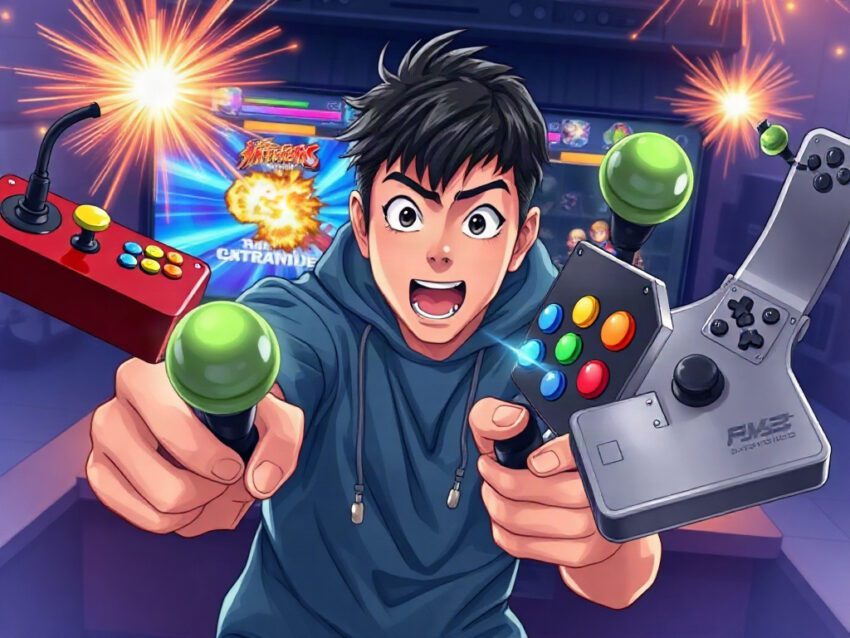
Best Arcade Sticks and Fight Sticks on Amazon
Friends, there is a particular sound that belongs to fighting games.
A joystick snaps into the corner. A button answers with a sharp click. Somewhere on the screen, a character flies backward through a burst of orange light, and for half a second the room feels like an arcade in 1998—even if you are sitting at a desk with cold coffee beside your keyboard.
A good arcade stick does more than replace a gamepad. It changes the conversation between your hands and the game. Instead of pressing a small cluster of buttons with your thumbs, you move across a broad control panel designed around rhythm, timing, and deliberate motion.
But buying one on Amazon can feel like walking into a noisy arcade with too many machines turned on at once. There are wireless controllers, tournament sticks, budget models, leverless designs, console-specific versions, and products with impressive-looking specifications that may not suit your platform at all.
So which fight stick deserves your money?
The answer depends on what you play, where you play, and whether you want a comfortable introduction or a controller you can keep for years. Amazon’s current selection includes more than 2,000 arcade-stick listings, from compact beginner models to premium aluminum fight sticks and all-button controllers.[1]
This guide narrows the field and explains what actually matters.
The quick answer
For most players, the HORI Fighting Stick Alpha is the strongest traditional choice for PlayStation 5, PlayStation 4, and PC. It combines a full-size case, responsive HORI HAYABUSA components, official PlayStation licensing, and a tool-less top panel that makes maintenance and customization easier.[1][2]
The 8BitDo Arcade Stick is the most approachable option for Nintendo Switch and PC players who want wireless freedom, a reasonable price, and simple modding. It supports Bluetooth, 2.4 GHz wireless, and wired USB-C connections, while its standard-size parts make upgrades relatively accessible.[2][3]
The Mayflash F500 is an excellent universal choice for beginners who move between platforms. It supports a wide range of consoles, computers, and devices, although compatibility may depend on an additional controller or adapter for certain systems.[1][8]
For players who want premium construction, the Victrix Pro FS sits near the top of the category. Its aluminum chassis, Sanwa Denshi parts, and detachable joystick shaft make it feel less like an accessory and more like a serious piece of equipment.[2][6]
And if you have never understood why some people prefer buttons without a joystick, the growing world of leverless arcade controllers—including models such as the Haute42—may surprise you. They feel strange at first. Then your fingers begin to learn a new language.
What makes an arcade stick different?
A standard gamepad asks your thumbs to do nearly everything. The left thumb moves the character. The right thumb controls attacks. Your index fingers may operate shoulder buttons, but most of the work happens in a small space beneath your palms.
An arcade stick spreads that work across your hands.
The joystick sits beneath one hand, while the other hand moves across large face buttons arranged in a row or gentle arc. This layout gives each finger a visible, physical destination. You do not merely press “light punch” or “heavy kick.” You strike a button with a distinct motion and hear the result.
That physical feedback matters.
When you perform a quarter-circle motion in Street Fighter 6, the joystick moves through a sequence that your hand can feel. When you press a button in Tekken 8, the switch responds beneath your fingertip. The controller turns an abstract command into a small mechanical event.
Of course, an arcade stick will not magically make someone better. The first evening may feel worse. Your character may jump when you intended to block. You may miss a special move that worked perfectly on a gamepad. You may stare at the screen and wonder why you spent money on a rectangular box full of buttons.
That is normal.
A fight stick rewards repetition. Over time, the movements become less conscious. Your hand stops searching. It begins to remember.
Best overall: HORI Fighting Stick Alpha
The HORI Fighting Stick Alpha is the safest recommendation for serious PlayStation and PC players who want a traditional joystick-and-button layout.
It is officially licensed for PlayStation 5 and PlayStation 4, and it uses HORI’s HAYABUSA joystick and buttons. The full-size case provides enough room for your hands and wrists, while the opening top panel allows easier access to the internal components.[1][2]
That last feature deserves more attention than it usually receives.
Many inexpensive controllers work perfectly when new but become frustrating once a button starts sticking or a joystick feels loose. With a serviceable design, you can open the case, clean the interior, replace parts, or customize the artwork without treating the controller like a sealed appliance.
The Alpha feels designed for that future.
Why it stands out
- Full-size tournament-style layout
- Official PS5 and PS4 licensing
- PC compatibility
- HAYABUSA joystick and buttons
- Tool-less access to the top panel
- Suitable for customization and maintenance
- Strong choice for players who practice regularly
The controller is not tiny, and that is part of its appeal. It sits firmly on your lap or desk instead of sliding around every time a match becomes intense. During a close round, that stability can feel reassuring. Your shoulders tense. Your opponent has one pixel of health left. You do not want the entire controller shifting because you pressed the corner button with too much enthusiasm.
There are limitations. It is primarily a wired controller, and it is not a universal solution for Xbox or Nintendo Switch. Always verify the exact model and platform before ordering because similar product names can hide major compatibility differences.
Who should buy it?
Choose the HORI Fighting Stick Alpha if:
- You play on PS5, PS4, or PC.
- You want a full-size traditional arcade stick.
- You expect to practice for hundreds of hours.
- You care about replaceable or customizable components.
- You prefer reliability over wireless convenience.
For many players, this is the point where an arcade stick stops being a curiosity and becomes a long-term controller.
Best budget pick: 8BitDo Arcade Stick
The 8BitDo Arcade Stick brings a friendlier personality to the category. It is especially attractive for Nintendo Switch and PC users who want arcade-style controls without immediately spending tournament-level money.
The Switch version offers Bluetooth, 2.4 GHz wireless through a receiver, and wired USB-C connectivity. It also includes features such as turbo and macro functions, while the joystick and buttons can be replaced with standard-size parts.[2][3]
That flexibility makes it appealing to beginners. You can use it wirelessly from the couch, connect it by cable when you want a more direct connection, and gradually modify it if your preferences change.
There is something charming about a controller that does not demand commitment on day one.
You can buy it because you enjoy Mario Kart minigames, Street Fighter, classic arcade collections, or weekend sessions with friends. Later, if the hobby becomes more serious, you can replace the stock parts rather than throwing away the entire unit.
The strengths
- Wireless Bluetooth connection
- 2.4 GHz receiver
- Wired USB-C mode
- Compatible with Switch and PC in the appropriate version
- Swappable joystick and buttons
- Accessible price compared with premium fight sticks
- Beginner-friendly feature set
The stock buttons are functional rather than luxurious. A competitive player who has spent years using Sanwa or Seimitsu components may notice the difference immediately. But a newcomer may simply notice that the controls work and the controller looks inviting on the desk.
And appearance counts more than people admit.
A black controller can disappear among cables and monitors. The colorful 8BitDo design looks like it belongs in a game room. It carries a little of the optimism of older arcade hardware—the feeling that games should be playful before they become technical.
A note about wireless play
Wireless mode is excellent for casual gaming, local multiplayer, and comfortable living-room sessions. For ranked competition, many players still prefer a wired connection because it removes battery concerns and minimizes uncertainty.
Even when wireless latency is small, competitive players tend to dislike unknown variables. A cable is boring. Boring is good when the match reaches the final round.
Best universal beginner option: Mayflash F500
The Mayflash F500 has earned attention because it focuses on compatibility. It is available for a broad range of platforms, including Nintendo Switch, Xbox systems, PlayStation consoles, PC, macOS, Android, Raspberry Pi, Steam Deck, and retro-oriented devices, though some platforms may require an additional controller or adapter.[1][8]
That makes it a practical choice for households where games live in several ecosystems.
Perhaps one person plays on Xbox. Another uses a Switch. You keep a PC beside the television. An older console occasionally comes out of the cupboard, still carrying the emotional weight of Saturday afternoons and dusty cartridges. A universal stick can make more sense than buying a separate controller for every machine.
The F500 also offers a substantial case without immediately entering premium pricing. It is a good place to start if you are curious about arcade controls but not ready to spend hundreds of dollars.
What to expect
- Broad platform support
- Traditional joystick-and-button arrangement
- Mod-friendly design
- Comfortable size for home use
- Good value for first-time buyers
- Compatibility details that require careful checking
The word “universal” should never be interpreted as “works identically everywhere.” Console support can depend on the exact model, firmware, connection method, or authentication requirement. Read the Amazon listing carefully and check the manufacturer’s current compatibility information before purchasing.
Still, the F500 remains one of the most sensible answers to a common question: “What if I want one fight stick for several systems?”
Best premium choice: Victrix Pro FS
The Victrix Pro FS is aimed at players who already know they love arcade controls and want a premium object to use for years.
Its aluminum chassis gives it a distinctive sense of solidity. The controller feels engineered rather than merely assembled. It uses Sanwa Denshi joystick and buttons, components widely respected among fighting-game players, and includes a detachable shaft designed to make travel easier.[2][6]
Imagine carrying it to a local tournament in a backpack. You arrive, set it on a folding table, and connect it while people nearby compare matchups and complain about the venue’s Wi-Fi. The removable shaft is not a gimmick in that moment. It reduces the risk of damage and makes the controller less awkward to transport.
Why the price can make sense
A premium fight stick may look expensive next to a gamepad, but the comparison is not always fair. A high-end arcade stick is closer to a reusable mechanical tool. Its value comes from:
- Durable construction
- Replaceable components
- Stable weight and positioning
- High-quality switches
- Long-term repairability
- Comfort during extended sessions
The Victrix Pro FS is not the best purchase for someone who plays a fighting game twice a year. It is for the player who knows the difference between a controller that is “fine” and one that feels right the moment both hands settle into position.
That feeling is difficult to quantify. You notice it when the case does not creak, when the buttons return cleanly, and when the controller stays planted during a tense sequence. Your hands stop negotiating with the hardware.
They simply play.
Best compact option: HORI Fighting Stick Mini
The HORI Fighting Stick Mini is designed for players who want arcade controls in a smaller and more approachable form. Amazon lists versions for PS5, PS4, and PC, with official PlayStation licensing on the relevant model.[1][4]
Its reduced size makes it easier to store and carry. It can sit on a small desk, travel in a backpack, or serve as a first experiment for someone who is not ready for a full-size controller.
That compactness also creates tradeoffs.
Smaller buttons and reduced wrist space may become uncomfortable during long sessions, especially for adults with larger hands. The compact body may also feel less stable on a lap. But for younger players, casual users, or people with limited space, those compromises may be exactly what makes the controller usable.
The Mini is not trying to impersonate a massive tournament panel. It offers a doorway.
Sometimes a doorway is all you need.
📢 Join Our Telegram Channel
Get real-time updates on new deals, price drops, and hidden tech gems.
⏰ Be first to see hot offers🛒 Direct links to products🎯 Focus on practical, useful tech

## Best choices by platform
Compatibility comes before appearance, price, or brand loyalty. A beautiful arcade stick that refuses to work with your console is a very expensive decoration.
PlayStation 5
The strongest traditional choice is the HORI Fighting Stick Alpha. It is officially licensed for PS5 and combines full-size construction with HAYABUSA controls and a design intended for maintenance and modification.[1][2]
The HORI Fighting Stick Mini is better for casual play, smaller spaces, or a lower-cost introduction. The Victrix Pro FS is the premium alternative for players who want high-end construction and Sanwa components.[2][4]
Before ordering, confirm whether the listing states PS5 support rather than only PS4 compatibility. Some PS4 fight sticks work with selected PS5 games, but that should not be assumed universally.
PlayStation 4
PS4 owners have one of the broadest selections. HORI, Mayflash, Qanba, and other brands offer compatible models, including the Fighting Stick Alpha and several universal controllers.
If you want the easiest recommendation, choose based on priorities:
- Best long-term traditional option: HORI Fighting Stick Alpha
- Best premium option: Victrix Pro FS
- Best compact option: HORI Fighting Stick Mini
- Best value for multiple platforms: Mayflash F500
Xbox Series X and Series S
Xbox compatibility deserves extra caution. A controller made for PlayStation may not work on Xbox, even if it connects through USB. Look for a dedicated Xbox version or explicit Xbox Series X/S support.
The HORI Fighting Stick Alpha has Xbox-oriented versions, while some 8BitDo arcade controllers are sold separately for Xbox and Switch. These versions are not interchangeable simply because they look similar.[3][6]
A common Amazon mistake is to see a product title mentioning several platforms and assume every version supports all of them. Read the color, model, and platform selector carefully. Amazon listings often place several variants under one page, and the photograph may not clearly identify which one you are buying.
Nintendo Switch
The 8BitDo Arcade Stick is one of the most attractive Switch choices. It offers wireless and wired connection methods, a familiar arcade layout, and room for customization.[2][3]
The Mayflash F500 is a good alternative if you also use other consoles. A compact HORI model may suit casual play, but the smaller layout is less comfortable for long training sessions.
For classic arcade collections, the 8BitDo’s wireless option feels particularly natural. You can sit farther from the television, rest the controller on your lap, and let the living room become a small private arcade.
PC
PC players have the widest freedom. Almost every major category is available:
- Traditional joystick fight sticks
- Premium tournament controllers
- Wireless arcade sticks
- Leverless controllers
- Custom-built panels
- Retro-style arcade controllers
The best PC choice depends on your preferred input method. If you want a classic arcade experience, choose the HORI Fighting Stick Alpha, Mayflash F500, or Victrix Pro FS. If you prefer keyboard-like directional inputs, consider a leverless controller such as the Haute42 range, which Amazon listings describe as offering hot-swappable buttons and SOCD-related features on compatible models.[1][10]
PC compatibility also makes customization easier. You can often remap buttons, update firmware, and test different input settings with fewer restrictions than on consoles.
Traditional versus leverless controls
A traditional fight stick uses a joystick for movement. A leverless controller replaces that joystick with buttons, usually four directional buttons arranged under the left hand.
At first glance, leverless controls can look like someone removed the joystick from an arcade machine and forgot to explain why.
The appeal becomes clearer when you think about movement as a series of inputs rather than a physical object. Pressing left and right with separate fingers can feel precise. Certain motions may become easier because each direction has a dedicated button. Players who come from keyboards sometimes feel at home immediately.
Others miss the physical sweep of a joystick.
Neither design is automatically superior for every player. The right choice depends on your hands, habits, games, and comfort. Competitive communities continue to discuss input rules, SOCD behavior, and tournament legality, so check the current rules for the events you plan to attend.
Choose a traditional stick if:
- You want an authentic arcade-machine feel.
- You enjoy the physical movement of a joystick.
- You play older arcade games and want historical familiarity.
- You prefer broad hand movements.
- You want a classic layout for local multiplayer.
Consider leverless if:
- You already enjoy playing with a keyboard.
- You prefer individual directional buttons.
- You want a compact, flat control surface.
- You are comfortable learning a different movement system.
- You care about customizable button layouts.
The transition can be awkward. A leverless controller may make your fingers feel like they have forgotten their job. Give it time. New muscle memory often arrives in fragments: one clean dash, one successful instant air movement, one round in which your hands stop hesitating.
Then the strange layout begins to feel obvious.
What to check before buying on Amazon
Product pages can overwhelm you with star ratings, promotional labels, colorful photographs, and technical language. Slow down. A few details matter far more than the marketing.
1. Platform compatibility
Confirm the exact console and generation:
- PS5 is not automatically the same as PS4.
- Xbox Series consoles need Xbox-compatible hardware.
- Switch and Switch 2 support may vary by product version.
- PC compatibility may depend on operating system and connection mode.
- Mac and Android support should be verified separately.
Amazon’s “Amazon’s Choice” label can indicate products with strong ratings, purchasing activity, and relatively low return rates, but it does not mean the item is right for your particular platform.[1]
2. Wired or wireless connection
Wireless is convenient. Wired is predictable.
For couch play, Bluetooth or 2.4 GHz wireless can be liberating. For tournaments and serious ranked sessions, wired connection is often the simpler choice. You never need to wonder whether the battery is low, whether the receiver is positioned correctly, or whether an unexpected connection issue caused the missed input.
Some controllers offer both. That is usually the most flexible arrangement.
3. Size and weight
A lightweight controller is easier to carry. A heavier controller often stays more stable.
Ask yourself where you will use it. If you play at a desk, a compact model may fit perfectly. If you play on a couch, a larger case may rest more comfortably across your lap. If you attend events, portability becomes more important.
A controller that feels excellent for ten minutes may feel very different after two hours.
4. Button and joystick quality
Brands such as Sanwa Denshi have long-standing recognition among arcade players, while manufacturers such as HORI use their own components, including HAYABUSA parts in selected models.[2][6]
This does not mean every other button is poor. It means the feel can vary:
- Some buttons require a light touch.
- Some produce a louder click.
- Some joysticks feel loose and quick.
- Others feel firm and deliberate.
- Some players prefer a square gate.
- Others prefer an octagonal gate.
There is no universal perfect setting. Your hands may prefer what another player dislikes.
5. Modding support
Modding means changing components or appearance. You might replace the joystick, install quieter buttons, add artwork, or adjust the internal layout.
Look for:
- Standard-size buttons
- Accessible internal wiring
- Easy-to-open case
- Replacement-part compatibility
- Clear manufacturer documentation
- Community support
The 8BitDo Arcade Stick and Mayflash F500 are especially attractive to beginners because they provide a path toward customization without requiring an expensive custom build from the start.[2][3][8]
6. Cable storage and portability
A detachable cable can make travel easier. A built-in cable may be harder to lose but more awkward to pack. Premium models may include thoughtful storage for cables or removable parts.
These details sound minor until you are standing outside a tournament venue with a controller, a laptop, a drink, and no idea where the cable disappeared.
How much should you spend?
Budget determines more than the number on the receipt. It often determines how much room you have to experiment.
Under $100
This range usually includes entry-level and budget-friendly models such as the 8BitDo Arcade Stick and selected Mayflash controllers. You can find wireless functionality, standard-size parts, and useful compatibility, although premium buttons and cases may be absent.[2][3][8]
This is the best range for:
- First-time buyers
- Casual players
- Switch and PC users
- Local multiplayer
- Players who want to learn before upgrading
Around $100 to $200
This range often includes stronger full-size controllers, officially licensed models, and better components. The HORI Fighting Stick Alpha sits in the category many players view as the practical tournament-grade middle ground.[2]
This is the best range for:
- Regular fighting-game players
- Console owners seeking a durable controller
- Players who want modding options
- People who do not want to replace the stick soon
Above $200
Premium models such as the Victrix Pro FS occupy this territory. You are paying for construction, materials, components, stability, and long-term ownership rather than simply more buttons.[2][6]
This is the best range for:
- Tournament players
- Enthusiasts
- Collectors
- Players who know their preferred layout
- Anyone who treats the controller as permanent equipment
A more expensive stick will not repair poor timing or weak fundamentals. It can, however, remove hardware limitations and give you a better foundation for practice.
A practical setup for beginners
Buying the controller is only the first step. Your first session should not begin with a ranked match against someone who has spent 800 hours perfecting a punish combo.
Start gently.
Step one: Learn the layout
Place the stick on a stable surface and identify every button. Do not rely on color alone. Learn the position of each button by touch.
Say the functions aloud if necessary:
- Light attack
- Medium attack
- Heavy attack
- Special attack
- Block or drive function
- Throw
- Assist or partner button
You may feel silly. That feeling disappears quickly.
Step two: Practice movement
Enter training mode and spend five minutes moving:
- Walk forward
- Walk backward
- Crouch
- Jump
- Dash
- Block
- Turn around
Focus on clean inputs rather than speed. A slow, correct motion teaches more than a frantic one.
Step three: Practice one special move
Choose one motion and repeat it on both sides of the screen. Do not immediately attempt ten different combos.
Ask:
- Did the joystick reach each direction?
- Did you press the button after completing the motion?
- Did the character jump accidentally?
- Did the input display show the command correctly?
Training mode turns confusion into evidence.
Step four: Use short sessions
Try fifteen or twenty minutes at a time. Your hands may tire differently than they do with a gamepad. Your wrist, fingers, and forearm need time to adapt.
If pain appears, stop. Frustration is part of learning. Pain is information.
Step five: Play someone you trust
A friend who understands the experiment can make the process enjoyable. Laugh at the missed inputs. Celebrate the first clean combo. Let the room become less about winning and more about discovery.
The first successful special move often feels absurdly rewarding. The screen flashes. The sound effect lands. You look down at the controller as if it has finally agreed to cooperate.
It was not magic. It was repetition becoming skill.
Common buying mistakes
The most expensive mistake is not always buying the wrong brand. Sometimes it is buying the right product for the wrong situation.
Mistake one: Choosing by appearance alone
A striking design can hide poor compatibility, awkward button placement, or a case that is too small for comfortable use. Treat aesthetics as a bonus, not the foundation.
Mistake two: Ignoring the platform version
Many brands sell separate PlayStation, Xbox, and Switch models. Confirm the exact version before adding the item to your cart.
Mistake three: Assuming wireless is always better
Wireless improves comfort, but it may not suit tournament play or players who want the most predictable connection. Choose based on use, not fashion.
Mistake four: Buying a premium stick too early
A $250 controller cannot tell you whether you enjoy arcade controls. If you have never used one, starting with an affordable model may be wiser.
Mistake five: Buying too small
Compact controllers are convenient, but limited wrist space and smaller buttons may become tiring. If you have large hands or expect long sessions, examine the dimensions carefully.
Mistake six: Trusting every review equally
A review that says “too heavy” may come from someone who wants a portable controller. A review that says “perfect size” may come from someone with very different hands. Look for repeated patterns across many reviews.
Mistake seven: Forgetting return conditions
Controller preferences are personal. Check the seller, warranty, and return policy before purchase, especially for expensive or third-party products.
The final shortlist
If the entire guide had to become a few clear recommendations, the list would look like this:
- Best overall for PS5, PS4, and PC: HORI Fighting Stick Alpha
- Best budget option for Switch and PC: 8BitDo Arcade Stick
- Best universal beginner stick: Mayflash F500
- Best premium fight stick: Victrix Pro FS
- Best compact PlayStation option: HORI Fighting Stick Mini
- Best alternative input style: Haute42 or another reputable leverless controller
- Best for Xbox: Choose a dedicated Xbox-compatible version, not a visually similar PlayStation model
A controller is personal equipment. One player wants the satisfying resistance of a joystick. Another wants flat buttons and keyboard-like precision. One person needs wireless freedom from the couch. Another would rather tape a cable to the desk and never think about connectivity again.
There is no single winner for every pair of hands.
The best arcade stick is the one that makes you want to sit down again tomorrow. It should invite practice rather than intimidate you, remain stable when the match becomes chaotic, and give your movements enough clarity that mistakes feel teachable instead of mysterious.
Friends, somewhere inside that collection of plastic, metal, switches, and springs lies a small promise: that with enough patience, your intentions can travel from your hands to the screen without getting lost along the way.
And when the final round begins, the room goes quiet, your fingers settle into place, and the first button answers with a clean, confident click.
📢 Join Our Telegram Channel
Get real-time updates on new deals, price drops, and hidden tech gems.
⏰ Be first to see hot offers🛒 Direct links to products🎯 Focus on practical, useful tech