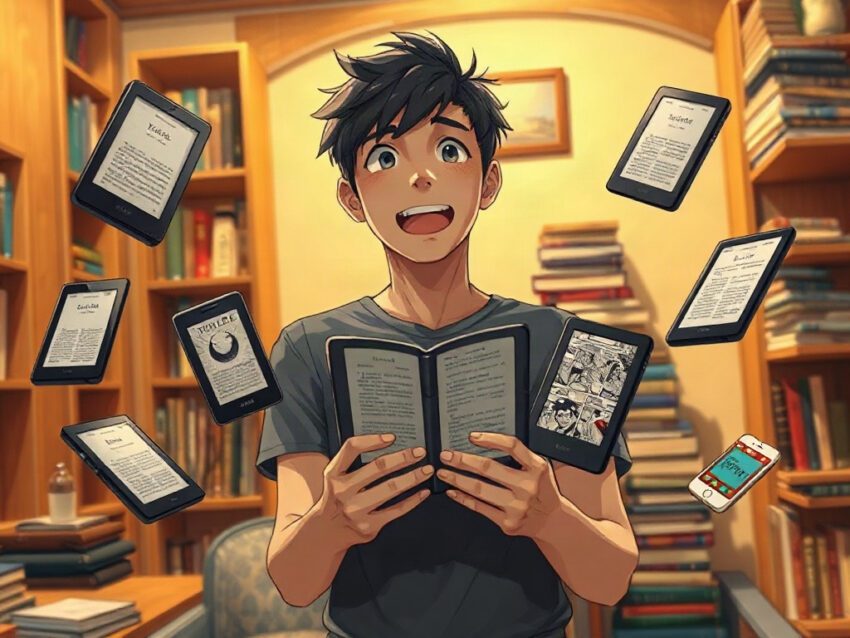
Best E‑Readers Besides Kindle on Amazon
Friends, there is a peculiar moment in every reader’s life when the bookshelf begins to look less like furniture and more like a structural problem.
Books lean against one another. Paperbacks disappear beneath magazines. A novel you bought three months ago waits patiently under the bed, while the book you actually want sits in another room, face down on a chair. Then you travel, and the problem becomes ridiculous: three books in the suitcase, one book in the backpack, one book downloaded to the phone, and somehow nothing to read on the train.
An e-reader solves the practical problem. But choosing one is less practical than it first appears.
You are not simply buying a screen. You are choosing a reading environment, a digital library, a relationship with file formats, a method for borrowing books, and sometimes even a small philosophy of attention. Do you want a quiet device that does almost nothing except display words? Or would you prefer an Android-based reader that can run reading apps, newspapers, browsers, and digital libraries?
Amazon may have made the Kindle familiar, but Kindle is not the only path into the world of electronic reading. Kobo, Boox, Xteink, Apple, and other brands offer excellent alternatives, many of which are available through Amazon. Some provide color E Ink, some support library borrowing more naturally, and some let you install apps from the Google Play Store.
The best choice depends on the kind of reader you are.
Why look beyond Kindle?
Let’s begin with the obvious question: why leave the most recognizable e-reader brand?
For some readers, the answer is simple. They do not want their entire reading life tied to one company. They may already use Kobo, Google Play Books, Barnes & Noble, or a public library service. Others own EPUB files and want to transfer them without wrestling with conversions or restrictions.
Some readers simply dislike the Kindle interface. It can feel polished and convenient, but also enclosed, like a comfortable room with only one door.
Then there are people who want features Kindle has not always emphasized:
- Direct access to library books.
- Broader EPUB support.
- Physical page-turn buttons.
- Color displays for comics and illustrated books.
- Android apps.
- Handwritten notes.
- A pocket-sized reading device.
- Greater flexibility with files and reading services.
A Kindle alternative does not automatically offer a better experience. It offers a different bargain.
Kindle gives you a mature ecosystem and a large bookstore. Kobo offers a more open feeling and strong library integration. Boox gives you flexibility but expects you to tolerate a little complexity. Apple gives you a bright, versatile screen, though it behaves more like a tablet than a traditional e-reader.
The question is not, “Which brand wins?”
The better question is, “Which compromises will I notice least?”
What makes an e-reader genuinely good?
Before looking at specific models, it helps to understand the features that affect daily reading rather than impressing you on a product page.
Screen quality
Most dedicated e-readers use E Ink. Unlike a conventional phone or tablet display, E Ink reflects ambient light in a way that resembles printed paper. You do not stare into a glowing rectangle in the same manner, especially when the front light is turned off.
Screen size matters.
A six-inch reader fits easily into a small bag and feels natural in one hand. A seven-inch screen gives text more breathing room and can reduce page turns. Larger devices work well for PDFs, textbooks, manga, and note-taking, but they demand more space and usually more money.
Resolution matters too. A 300-pixel-per-inch display produces crisp letters that look close to ink on paper. Lower-resolution screens can still be pleasant, but tiny text and punctuation may appear softer.
Front lighting
A front-lit E Ink screen allows you to read in bed, on a night bus, or during a power cut. Look for adjustable brightness and, ideally, adjustable color temperature.
A warm light shifts toward amber. It can make nighttime reading feel gentler, especially when the room is dark and your partner is asleep beside you. It does not transform the device into a magical sleep machine, but it is far kinder than opening a bright phone screen at midnight.
Waterproofing
Waterproofing sounds like a luxury until you drop an e-reader beside a bathtub.
Then it becomes a small miracle.
If you read near a swimming pool, at the beach, in the bath, or while drinking coffee with the careless confidence of someone who has never knocked over a mug, water resistance is worth prioritizing. Kobo’s popular models include waterproof options, and this feature can turn a fragile object into a companion you do not need to protect every second.
Battery life
A good dedicated e-reader should last far longer than a phone. You may read for days or weeks before charging, depending on brightness, wireless connectivity, and usage.
That long battery life changes behavior. You stop thinking, “Will this last until evening?” and start thinking, “I should probably charge it sometime this month.”
That psychological freedom matters more than the specification itself.
File compatibility
EPUB remains one of the most important formats outside Amazon’s ecosystem. Many Kindle alternatives support EPUB, PDF, MOBI, CBZ, and other formats, although exact compatibility varies.
If you already have a collection of digital books, check the formats before buying. A reader that accepts your existing library will feel liberating. One that demands constant conversion will feel like a part-time administrative job.
Library borrowing
For many people, library access is the reason to choose Kobo.
Kobo readers integrate with OverDrive in supported regions, allowing you to browse and borrow compatible digital books from participating public libraries. The process is not identical everywhere, and availability depends on your country and library system, but the integration can be far smoother than transferring borrowed books manually.
Imagine standing in a library without physically standing in a library. You borrow a novel at 10:42 p.m., return it automatically, and wake up with the next book already waiting. There is something quietly wonderful about that.
The best Kindle alternatives at a glance
Here are the strongest non-Kindle options commonly available through Amazon or from the manufacturers directly:
- Kobo Clara BW — best for distraction-free black-and-white reading and library borrowing.
- Kobo Clara Colour — best compact color e-reader for readers who want illustrations, highlights, and comics.
- Kobo Libra Colour — best for physical page-turn buttons, color, and handwritten notes.
- Boox Go 6 — best Android-based e-reader for reading across multiple apps.
- Boox Go Color 7 — best for color E Ink and flexible app support in a compact design.
- Xteink X4 Pro — best pocket e-reader for readers who want something extremely small and light.
- Apple iPad mini or iPad — best for comics, magazines, PDFs, and a broad app ecosystem.
- reMarkable Paper Pro — best for writing and large-format digital notes rather than ordinary novels.
These devices do not compete in exactly the same category. Comparing a Kobo Clara BW with an iPad is like comparing a bicycle with a small car: both can take you somewhere, but the journey feels entirely different.
📢 Join Our Telegram Channel
Get real-time updates on new deals, price drops, and hidden tech gems.
⏰ Be first to see hot offers🛒 Direct links to products🎯 Focus on practical, useful tech

## Kobo Clara BW: the sensible choice for serious readers
The Kobo Clara BW is one of the strongest Kindle alternatives for people who want a traditional e-reader without Amazon’s ecosystem. It combines a compact six-inch black-and-white E Ink display with adjustable lighting, waterproofing, and support for library borrowing through OverDrive in supported markets.[3][5][9]
It is the device for the reader who does not want notifications, social media, video apps, or a browser constantly whispering, “Just check one thing.”
You tap the screen. The page turns. The story continues.
The Clara BW uses a high-resolution display designed to keep text sharp and readable. Its compact body suits commuters, travelers, and people who read in one hand while holding a cup of tea in the other. It also supports a wide range of file formats, making it friendlier to readers who obtain books from different sources.[5][9]
Why choose the Kobo Clara BW?
- Excellent black-and-white reading experience.
- Compact and lightweight design.
- Adjustable front light and warm color temperature.
- Waterproof construction.
- Strong library integration where OverDrive is supported.
- No requirement to buy into Amazon’s Kindle store.
- Support for EPUB and other common formats.
- A focused interface with fewer distractions.
The Clara BW does not try to be everything. That restraint is its strength.
Some technology companies treat every new device as an excuse to add more features. Kobo takes a quieter approach here. The reader remains a reader.
That sounds obvious, but modern technology has a habit of turning every object into a miniature entertainment center. A refrigerator wants to show you recipes. A watch wants to interrupt your wrist. A phone wants your attention every few minutes. The Clara BW mostly leaves you alone.
Who should avoid it?
The Clara BW may disappoint readers who want color illustrations, extensive note-taking, or Android apps. Its six-inch display is excellent for novels but less comfortable for large PDFs and academic documents.
If your reading life consists mostly of text-heavy fiction, essays, memoirs, and nonfiction, the Clara BW makes a great deal of sense. If you read graphic novels every weekend, choose a color model or tablet instead.
Kobo Clara Colour: a gentle introduction to color E Ink
The Kobo Clara Colour takes the compact design of a traditional Kobo and adds a color E Ink display. It is aimed at readers who want more than plain black text but still prefer the calm, low-distraction character of an e-reader.[1][4][6]
Color E Ink does not look like an iPad screen. The colors are softer and less saturated, more like colored pencil on warm paper than a glossy magazine. That is not a flaw; it is the nature of the technology.
You may notice muted illustrations, colored book covers, highlighted passages, and gentle shades in comics. The screen feels subdued rather than dazzling.
For some readers, that is exactly the point.
Best uses for the Clara Colour
- Illustrated novels.
- Comics with modest color requirements.
- Cookbooks and travel guides.
- Children’s books.
- Color-coded highlights.
- Book covers and visual browsing.
- Readers who want color without carrying a tablet.
The Clara Colour keeps the advantages of a compact reader while making the reading experience more expressive. A yellow highlight can look like a real mark rather than a gray rectangle. A map has more meaning when roads and water no longer share the same shade.
Still, remember that color E Ink involves compromises. A color layer can make the background appear slightly darker than on a black-and-white reader, and colors remain far less vivid than on an LCD or OLED tablet.
Is color E Ink worth it?
Ask what kind of color you need.
If you want rich comic-book artwork, bright photographs, or cinematic magazine layouts, an iPad will usually feel more satisfying. If you want occasional color while preserving long battery life and a paperlike reading surface, the Clara Colour is more appropriate.
The best color display is not always the most colorful one. Sometimes the real attraction is that color appears without turning the entire device into a glowing television.
Kobo Libra Colour: the best all-rounder for flexible reading
The Kobo Libra Colour is one of the most complete Kindle alternatives available. It combines a seven-inch color E Ink display, physical page-turn buttons, waterproofing, and optional stylus support for notes and annotations.[1][2][7]
Those buttons deserve special attention.
Touchscreens are convenient, but physical buttons provide certainty. You can feel the click beneath your thumb without looking down. You can turn a page while wearing gloves. You can read in bed with one hand resting lazily on the blanket.
That small mechanical action creates a satisfying rhythm:
Read. Click. Read. Click.
The Libra Colour also has a more spacious display than the Clara models. The extra inch does not sound dramatic, but it gives pages more room, reduces crowding, and improves the experience of PDFs, comics, and illustrated nonfiction.
Why readers love the Libra Colour
- Seven-inch display.
- Color E Ink.
- Physical page-turn buttons.
- Waterproof design.
- Adjustable front lighting.
- Optional stylus for handwritten notes.
- Library borrowing support in supported regions.
- Comfortable shape for one-handed reading.
A reader named Elena once described physical page buttons as “the difference between using a device and holding a book.” That may sound sentimental, but anyone who has read while walking slowly through a station understands the distinction. The page-turn button gives the object a little physical life.
Is the stylus useful?
The stylus makes sense for readers who annotate often. You can underline passages, write brief thoughts, and mark ideas without reaching for a separate notebook.
But it is not a full laptop replacement, and handwriting on E Ink will not feel exactly like writing on paper. The response may be slower, and the screen lacks the instant fluidity of a premium tablet.
Think of the stylus as a margin pencil, not a complete digital office.
That is enough for many people. A margin pencil does not need to become a word processor.
Boox Go 6: the flexible Android alternative
Boox readers occupy a different corner of the market. Rather than restricting you to one primary bookstore, many Boox devices run Android and provide access to the Google Play Store. That allows you to install apps such as Kindle, Kobo, Nook, Google Play Books, Libby, and other reading services, depending on device support and regional availability.[1][2][7]
The Boox Go 6 is designed for readers who want a compact black-and-white E Ink device but do not want to choose a single reading ecosystem.
You can read a Kobo book in the morning, open a Kindle title after lunch, check a library app in the evening, and still use the same device for all three. That flexibility feels almost rebellious after years of digital platforms building walls between one another.
The advantages
- Android operating system.
- Access to multiple reading apps.
- Six-inch high-resolution display.
- Adjustable warm front light.
- More storage than many basic readers.
- A familiar compact e-reader shape.
- Greater control over where you buy and borrow books.
The disadvantages
- Android can feel less elegant than Kobo’s focused software.
- App compatibility may vary.
- Some apps are not optimized perfectly for E Ink.
- Settings and customization require patience.
- Battery performance depends heavily on app use and synchronization.
Boox is ideal for curious readers who enjoy adjusting settings, installing applications, and building a personal reading system. It is less ideal for someone who wants to open a box, press one button, and never think about technology again.
There is a certain personality type that finds joy in this. The same person may organize their music library by decade, label charging cables, and spend twenty minutes choosing the perfect note-taking app.
If that sounds familiar, Boox may feel like home.
Boox Go Color 7: one device, many reading worlds
The Boox Go Color 7 takes the Android flexibility of Boox and adds a seven-inch color E Ink display. It includes physical page-turn buttons and supports apps from different ecosystems, making it particularly attractive to readers who move between platforms.[1][7]
This is a strong option for people who read:
- Comics.
- Digital magazines.
- Illustrated nonfiction.
- Kindle books and Kobo books.
- Library titles from reading apps.
- Web articles and long-form essays.
- Documents that benefit from a larger screen.
The Go Color 7 is not as simple as the Clara Colour or Libra Colour. That is the price of freedom. You gain access to many services, but you also inherit more menus, more settings, and more opportunities to ask yourself why one app refreshes correctly while another behaves like it has just woken from a nap.
Still, the versatility is impressive.
A dedicated Kobo reader offers a carefully designed path. Boox gives you a toolbox.
One suits the traveler who wants a clear route. The other suits the traveler who enjoys opening a map, taking side roads, and occasionally getting lost in a beautiful town.
Xteink X4 Pro: the pocket-sized escape
The Xteink X4 Pro targets readers who want an unusually small, lightweight device. Its roughly 4.3-inch display and pocketable design make it suitable for commuting, waiting rooms, and situations where a standard six- or seven-inch reader feels too large.[5][7]
This device asks a charming question: how little reading hardware do you actually need?
A phone is small, but it is also full of interruptions. The Xteink’s appeal comes from separation. It gives you a screen for books without placing email, video, social feeds, and messaging one thumb movement away.
The experience resembles carrying a tiny paperback from another era, except the “paperback” can contain hundreds or thousands of books.
What it does well
- Fits into small pockets.
- Weighs very little.
- Uses an E Ink display.
- Offers front lighting.
- Includes physical controls or gesture-based page navigation, depending on use.
- Encourages distraction-free reading.
- Works well for short reading sessions.
What to consider
The small screen means more frequent page turns. Large-format PDFs may feel cramped. Readers with visual difficulties may prefer a six-inch device with larger text.
But for someone who reads in fragments—ten minutes before a meeting, fifteen minutes on a train, five minutes while waiting for pasta water to boil—the tiny format can be surprisingly effective.
It removes the excuse that the book is too heavy.
Apple iPad: best for comics, PDFs, and visual reading
An iPad is not a traditional E Ink reader, but it remains one of the best Kindle alternatives for certain readers. Models such as the iPad mini and standard iPad support Apple Books, Kindle, Kobo, Libby, comics apps, newspaper apps, note-taking tools, and PDF software.[2][4][6]
The display is bright, colorful, and responsive. Comics look far better than they do on most color E Ink devices. Magazines retain their visual design. Academic PDFs are easier to navigate. Search, zoom, annotation, and split-screen work smoothly.
But the iPad comes with a different atmosphere.
An E Ink reader says, “Stay with the book.”
An iPad says, “The book is here, along with everything else.”
That may be perfectly acceptable. Some people want one device for reading, watching lectures, marking documents, and browsing research. Others open an iPad to read one chapter and emerge forty minutes later having watched a video about a carpenter in rural Norway.
There is no moral failure in that. Attention simply has a cost.
Choose an iPad if you need
- Bright full-color graphics.
- Comic books and manga.
- PDFs with charts and illustrations.
- Multiple reading and note-taking apps.
- Fast page navigation.
- Web access.
- Apple Pencil support.
- A general-purpose tablet rather than a dedicated reader.
Choose E Ink if your main goal is long, quiet reading with minimal distraction.
reMarkable Paper Pro: for notes more than novels
The reMarkable Paper Pro belongs in the conversation because many readers do not only consume books. They underline, sketch, plan, write questions, and build ideas in the margins.
It is designed primarily as a digital writing and note-taking tablet, with a paperlike surface and a large display. Some versions add color capabilities, which can help organize diagrams and annotations.[1][3]
This is not the most sensible purchase for someone who wants to read inexpensive novels. It makes more sense for students, researchers, designers, writers, and professionals who want a clean workspace without the endless distractions of a conventional tablet.
Imagine opening a notebook at a wooden desk near a rainy window. No pop-ups appear. No social feed refreshes. The page waits.
That is the reMarkable appeal.
Its limitations are equally clear:
- It costs more than basic e-readers.
- It is specialized.
- It may not provide the same bookstore convenience as Kobo or Amazon.
- It is better for writing and annotating than casual reading.
- Accessories can increase the total price.
It is less a digital bookshelf than a digital studio.
How to choose the right Kindle alternative
Start with your reading habits rather than your wish list.
Ask yourself:
- Do I read mostly novels or illustrated books?
- Do I borrow books from a public library?
- Do I already own Kindle, Kobo, EPUB, or PDF files?
- Do I want physical page-turn buttons?
- Will I read near water?
- Do I need apps from different bookstores?
- Do I want to write by hand?
- Is color genuinely useful, or merely attractive in a product photograph?
- Will I carry the device every day?
- Do I want a reader or a tablet?
Then match the answers:
- Choose Kobo Clara BW for affordable, focused black-and-white reading.
- Choose Kobo Clara Colour for compact color and simple reading.
- Choose Kobo Libra Colour for buttons, color, and annotations.
- Choose Boox Go 6 for multiple reading apps on a small E Ink device.
- Choose Boox Go Color 7 for color plus Android flexibility.
- Choose Xteink X4 Pro for maximum portability.
- Choose iPad for comics, magazines, PDFs, and general-purpose apps.
- Choose reMarkable Paper Pro for handwritten notes and large documents.
Friends, the perfect e-reader does not exist in the abstract. It exists in the moment when you are sitting on a train, the rain is drawing crooked lines across the window, and the device in your hands makes reading feel effortless.
That is the standard worth using.
Not the brightest screen. Not the longest feature list. Not the most impressive advertisement.
The right e-reader is the one that quietly helps you return to the page.
📢 Join Our Telegram Channel
Get real-time updates on new deals, price drops, and hidden tech gems.
⏰ Be first to see hot offers🛒 Direct links to products🎯 Focus on practical, useful tech